

How Can We Help?
Featured Locations
The Featured Location is a great way to encourage app users to visit a location and earn extra points.
Facts & Features:
Featured Location can be earned once per app user
Featured Locations appear highlighted on the Passport TO-GO List and the Location Detail Page
If a user has already visited the location, they can still return and collect the Featured Location Bonus points
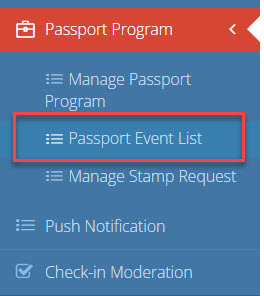
To set up a Featured Location, simply click on the Passport Program > Passport Event List
On the top right corner, click “Add New”
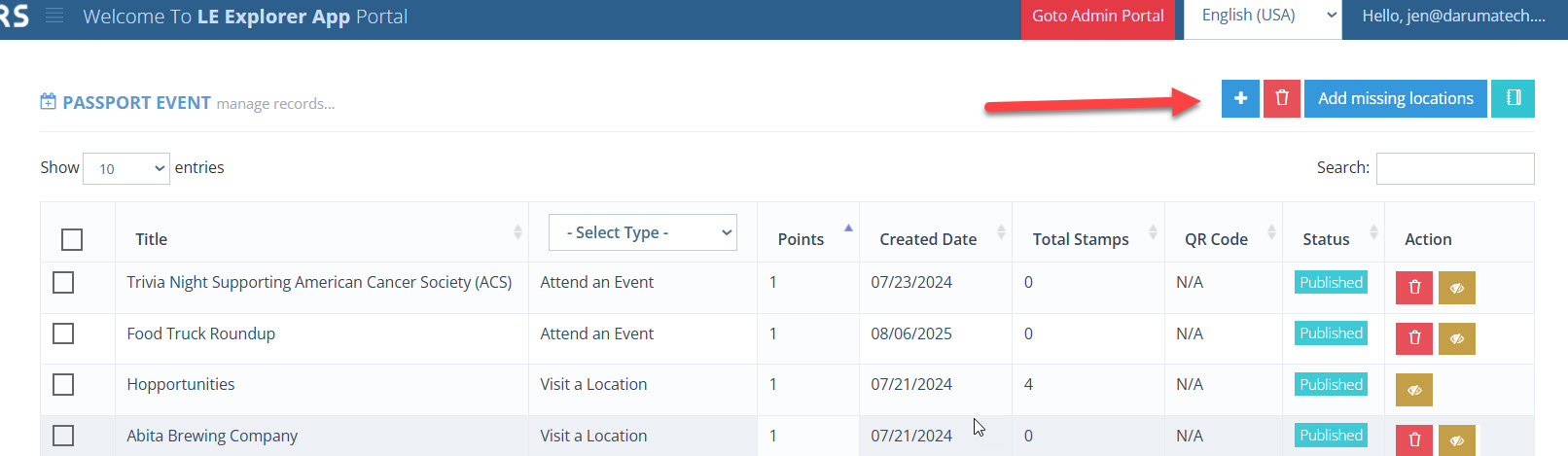
When on the passport event list, select:
- Passport Program
- Loyalty Event Type: Featured Location
- Member
- Location
- Title – it is recommended to use the location name and date/month in the title for reference
- Bonus Points
- Start Date
- End Date
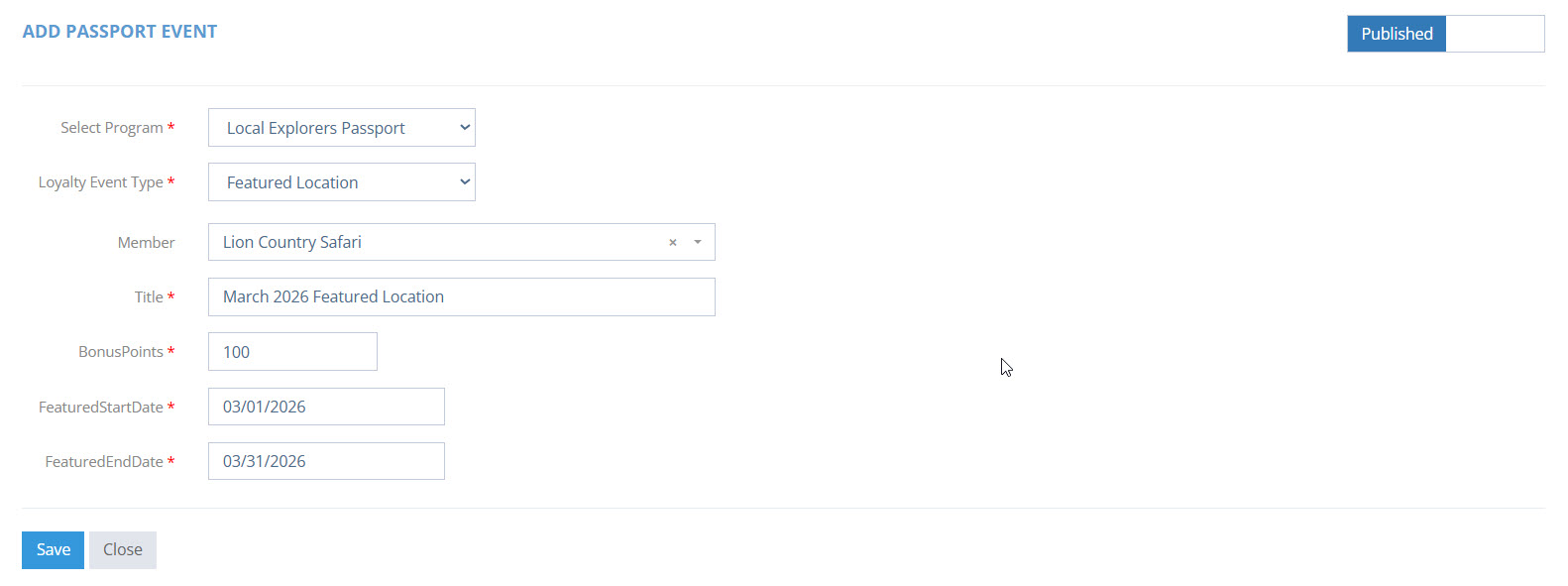
Click Save once completed.
Editing Notes:
If a Featured Location End Date is modified, an app user that earned the point(s) previously will be unable to earn them again. Example, if Jane earned the Featured Location Bonus Points for Lion Country Safari in March 2026, but the Featured Location Event was extended to April, Jane cannot earn again in April.
If a NEW Featured Location event is created (even for the same location), app users will be able to stamp and earn additional bonus points. Example: If Jane went to Lion Country Safari in March 2026 and earned bonus points, if another Featured Location Event is created for November 2026, Jane will be able to return and collect extra points.